
 New
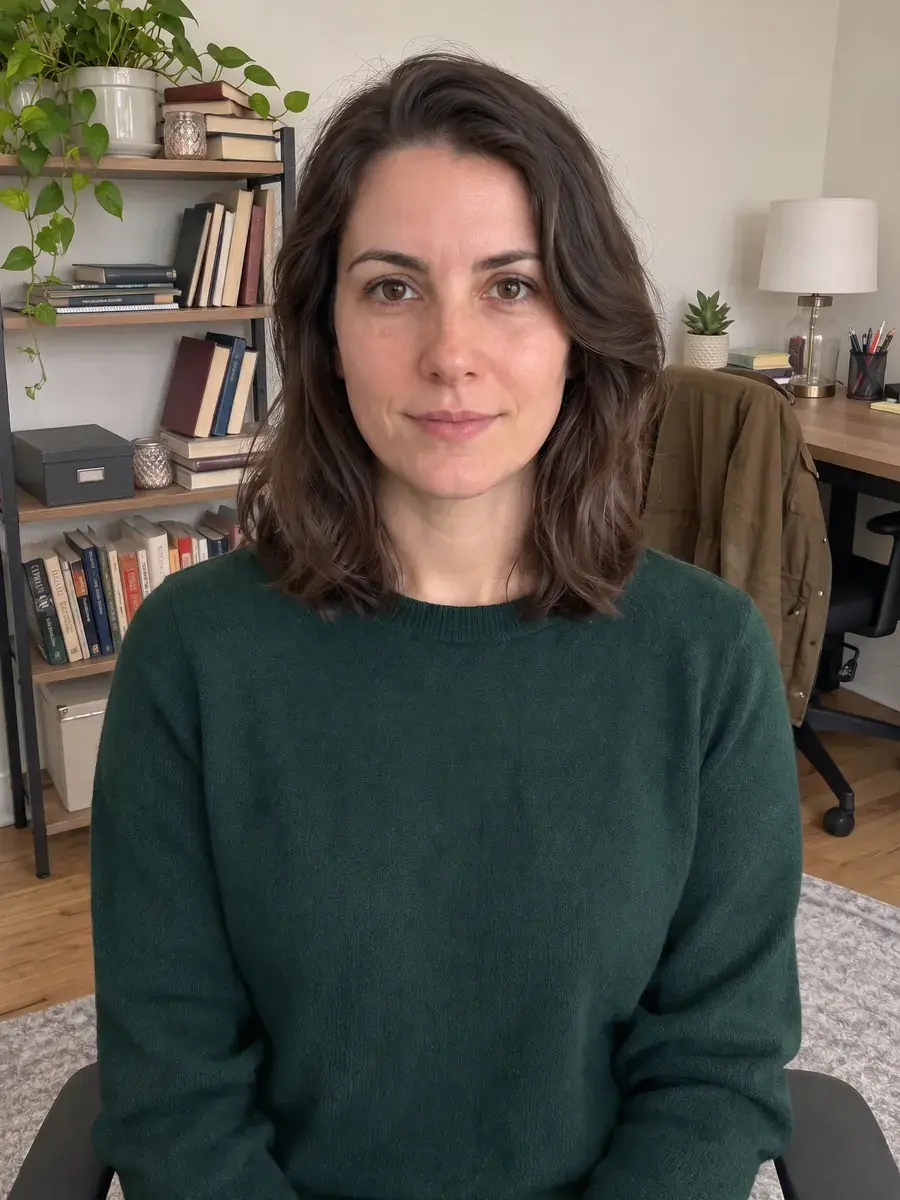
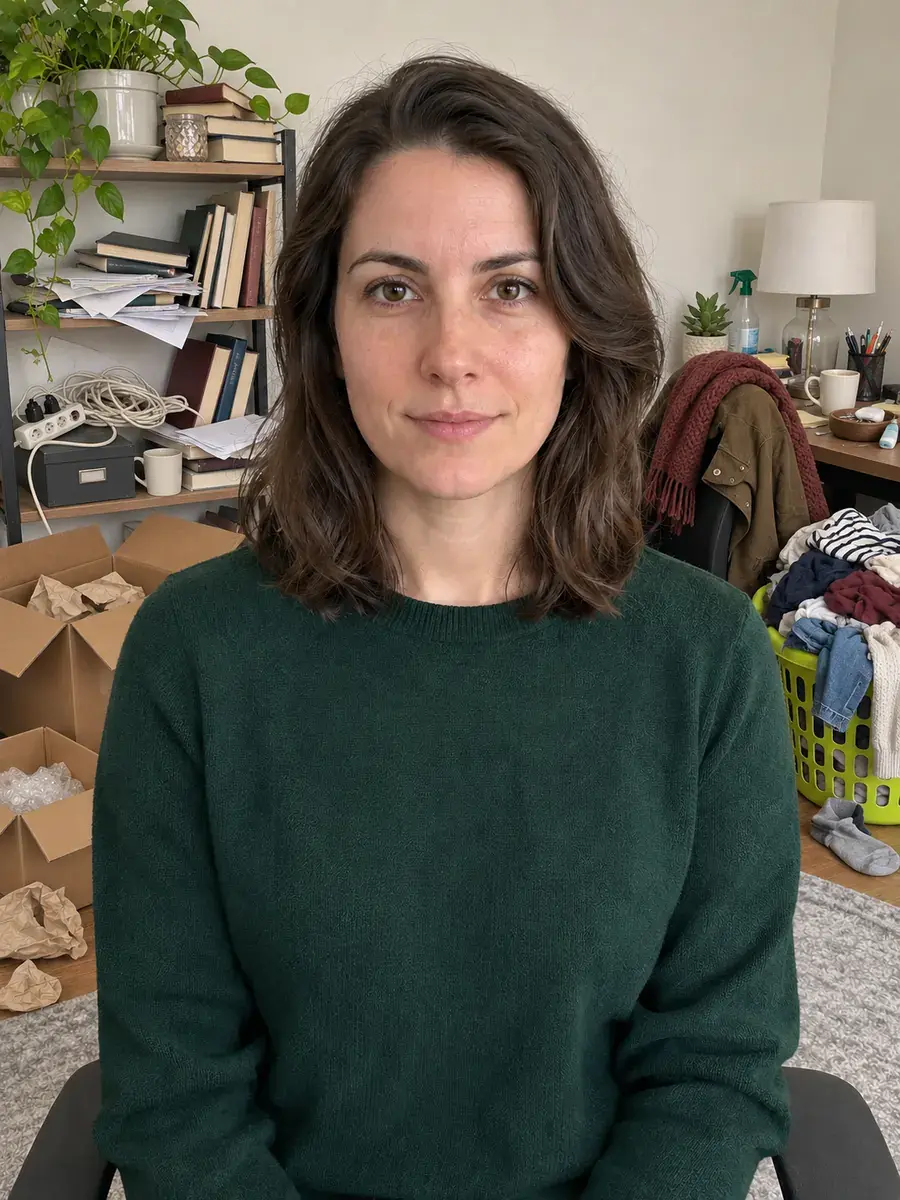
BeforeAfter
PROMPT DETAIL
Remove Background Distractions From a Portrait
Tested by Mustafa on 17 Nov 2026 · Gemini Nano Banana
PROMPTOptimized for Gemini
Edit the uploaded photo to remove only distracting objects from the background. Keep the person exactly as uploaded: preserve their identity, face, skin tone, hair, clothing, pose, and expression. Reconstruct the cleared background naturally, matching the original lighting, perspective, and depth of field. Do not add new objects, text, or decorations. Do not smooth or reshape the face, alter clothing, or change the crop. If an object overlaps the person, leave that area unchanged rather than inventing missing details. Keep the face exactly as uploaded.
How to use
- Open Gemini.
- Upload your own photo.
- Paste the prompt and send.
Variations
Remove only the largest distracting objects from the background. Keep the face exactly as uploaded and preserve the person's identity, hair, clothing, pose, and expression. Match the existing light and perspective. Leave objects that overlap the person unchanged.
Tips and what can go wrong
- This prompt is for portraits where the person is clear and the distractions sit behind or beside them. In the supplied Gemini Nano Banana example, the larger floor-level clutter is reduced while the person and room context remain visible. Some books, furniture, or smaller background details may remain; the prompt asks for selective cleanup rather than an empty studio backdrop.
- Use a well-lit, reasonably sharp source image with visible separation between the subject and the objects to remove. Hair edges, chair outlines, shelves, and patterned backgrounds can reveal blending artifacts, so inspect those areas after editing. If an object touches or overlaps the person, the prompt asks the model to leave that area alone instead of inventing clothing or body details.
- For a more controlled result, name only the specific objects that should disappear in a short follow-up. Avoid asking the model to remove every item if the room itself matters to the photo. Keep the original file and compare the face, crop, clothing, and background perspective before sharing. Results vary with the source image and model version; the included comparison is one example, not a guarantee.
Tool and tags
Face-lock: prompts that edit people include the line “Keep the face exactly as uploaded” so Gemini or ChatGPT preserves identity. Read our face consistency guide.
You might also like
New New
 New
 New
 New
 New
 New
 New
 New
Browse by Style
Jump into live libraries — headshots, portraits, couples, creative, and seasonal looks.
HHeadshots2 PromptsPPortraits6 PromptsCCouples & Wedding1 PromptsPPhoto Fixes1 PromptsSSeasonal1 PromptsCCreative2 Prompts
View All Libraries